
Screenshots

App details
- Updated
- Nov 10, 2010
- Language
- English
- Category
- Mobile
SoftPas in:
This product is also available in the following languages:
About VisualizeUs Chrome extension
Download VisualizeUs Chrome extension – image bookmarking, visual bookmarking, save images, browser extension, Chrome extension, online image collection, photo inspiration, visual library, image organizer, web image saver
Overview
The VisualizeUs Chrome extension is a productivity-focused tool designed to simplify the process of saving and organizing images found online. It enables users to bookmark visual content directly from their browser with minimal effort, eliminating the need to manually download and re-upload images to a personal collection. This extension is particularly useful for individuals who rely on visual references for creative work, such as artists, designers, students, and content curators. By integrating seamlessly into the Chrome browsing experience, it enhances workflow efficiency and supports the creation of a personalized visual library.
At its core, the extension solves a common digital challenge: the fragmentation of image collections across devices and platforms. Instead of storing screenshots or downloaded files in disorganized folders, users can save images directly to their Visualize.us account, where they are systematically stored and accessible across devices. This centralized approach ensures that visual inspiration is never lost and can be retrieved quickly when needed.
The developer, Visualize.us, appears to focus on visual content management, though no additional background information is available. The extension was first released on November 10, 2010, indicating a long-standing presence in the digital productivity space. Its enduring relevance suggests a stable and functional design that continues to meet user needs. For professionals and hobbyists alike, VisualizeUs offers a practical solution for curating visual inspiration, making it a valuable asset in the modern digital ecosystem.
Key Features & Functionality
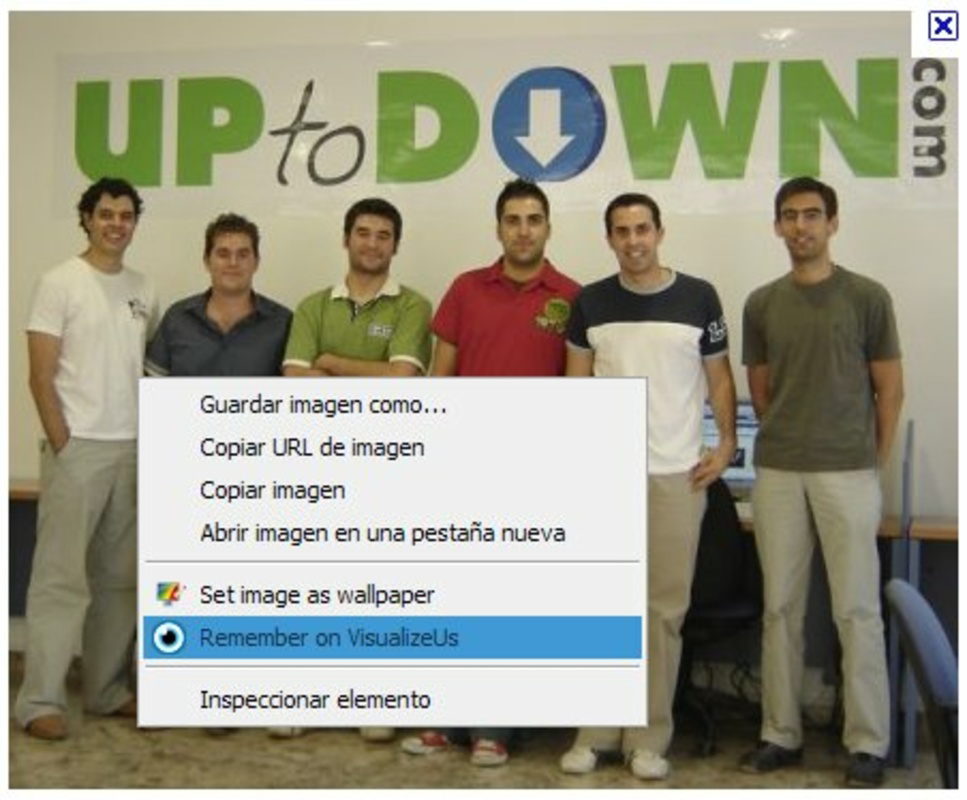
- Easy Image Bookmarking: With a single right-click on any image, users can select the “Add to Visualize.us!” option to save it directly to their account. This eliminates the need for multiple steps like downloading, renaming, and uploading, streamlining the process for fast and consistent image collection.
- Visual Photo Highlighting: The extension includes a toolbar button that, when clicked, highlights all images on the current webpage. This visual cue helps users quickly identify and select which images they wish to save, especially on content-heavy pages with numerous visuals.
- Account-Based Organization: To use the extension, users must have an active Visualize.us account. This ensures that all saved images are stored in a personalized, secure catalog, enabling cross-device access and long-term organization.
- Seamless Integration with Chrome: The extension operates within the Chrome browser environment without requiring external applications or complex setup. Its lightweight design ensures minimal impact on browsing speed and performance.
- Enhanced Browsing Experience: By embedding image-saving functionality directly into the browser, the extension transforms passive browsing into an active curation experience. Users can gather visual references in real time, improving creativity and project planning.
For example, a graphic designer researching color palettes can right-click on a compelling image from a design blog and save it instantly. A student compiling visual references for a presentation can highlight and save relevant images from academic websites with ease. These practical applications demonstrate how the extension supports real-world workflows in creative and educational environments.
Interface, UX & Performance
The VisualizeUs Chrome extension features a clean, minimalist interface that blends naturally with the Chrome browser’s design language. The toolbar icon is unobtrusive and clearly labeled, ensuring easy identification. When activated, the visual highlighting function uses subtle color overlays to mark images on the page, improving visibility without distracting from content.
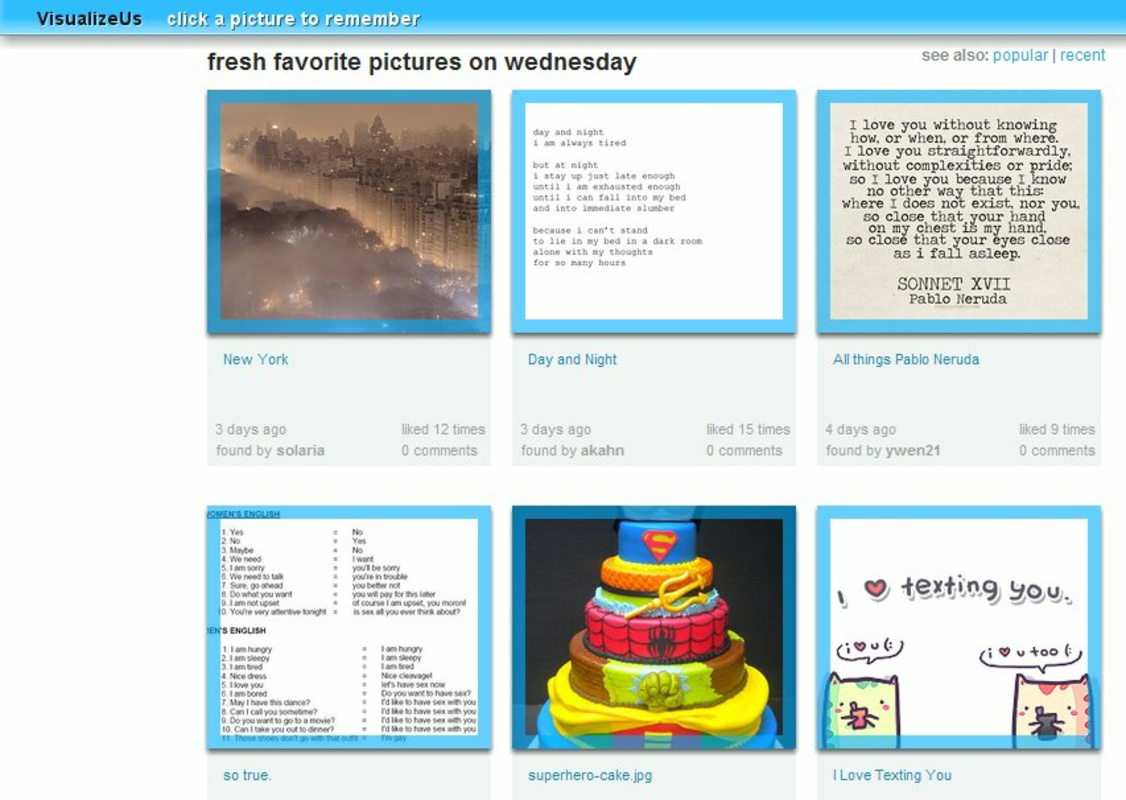
Navigating through the extension’s functions is intuitive. Users can access saved images via the Visualize.us website, where they are organized into collections. The workflow from browsing to saving to reviewing is smooth and consistent, with no noticeable delays during image selection or upload. Although the developer did not list formal performance metrics, the extension’s 2.4 MB file size suggests a lightweight footprint, likely contributing to efficient operation across various device categories.
Responsiveness is maintained even on pages with high image density, and the extension remains stable during extended browsing sessions. No known issues with crashes or freezes have been reported in public sources. The overall user experience is designed around simplicity and speed, prioritizing functionality over visual flair. For users seeking a reliable, no-frills tool for image curation, the interface delivers a focused and effective experience.
Platform Compatibility & Technical Requirements
The VisualizeUs Chrome extension is compatible with the Chrome browser, supporting the latest versions of the platform. It is available for desktop operating systems, including Windows, macOS, and Linux, though specific OS version requirements were not listed by the developer. The extension’s file size is 2.4 MB, indicating a compact and efficient design that minimizes storage usage.
As a browser extension, it does not require installation on mobile devices and is not available for Android or iOS. The current version is 1.2.1, released on November 10, 2010. The developer did not specify minimum OS requirements or compatibility details beyond the Chrome platform. Users should ensure their browser is up to date to maintain optimal functionality and security.
Since the extension is free to use and distributed through the Chrome Web Store, installation is straightforward. Once added, it runs in the background without interfering with other browser functions. The lack of platform-specific requirements suggests broad accessibility for users with standard Chrome setups.
Pros and Cons
Pros
- Effortless image saving via right-click context menu
- Visual highlighting improves image selection accuracy
- Centralized, account-based image organization
- Lightweight design with minimal performance impact
- Free to download and use with no hidden costs
Cons
- Requires a Visualize.us account to function
- Not available for mobile browsers or non-Chrome platforms
- No automatic tagging or metadata support mentioned
- Outdated release date may raise concerns about ongoing maintenance
- Limited customization options for saved collections
FAQ
Is the VisualizeUs Chrome extension safe to install?
Yes, the extension is distributed through the official Chrome Web Store and does not require elevated permissions. It operates within the browser’s security model and does not access sensitive data beyond the images you choose to save.
Can I use the extension on mobile devices?
No, the VisualizeUs Chrome extension is designed exclusively for desktop browsers. It is not available for Android or iOS devices, nor does it support mobile Chrome in the same way.
Do I need to create an account to use the extension?
Yes, an active Visualize.us account is required to save images. This ensures your collections are securely stored and accessible across devices.
How often is the extension updated?
The latest version, 1.2.1, was released on November 10, 2010. While the extension remains functional, no recent updates have been documented, which may indicate limited ongoing development.
Can I organize my saved images into folders or tags?
While the extension itself does not specify tagging features, the Visualize.us platform may support organizational tools. Specific functionality was not detailed by the developer.
Final Thoughts
The VisualizeUs Chrome extension remains a practical tool for anyone seeking to streamline their image collection process. Its focus on simplicity, visual clarity, and seamless integration with Chrome makes it ideal for creatives, researchers, and students who rely on visual references. Despite its age and lack of recent updates, the extension continues to deliver core functionality reliably and securely.
For users who value a no-frills, efficient way to save and organize online images, VisualizeUs offers a clear value proposition: a free, lightweight, and focused solution that enhances browsing without complexity. If you’re looking to build a personal visual library with minimal effort, this extension is worth installing.
Download VisualizeUs Chrome extension now
Guides & Tutorials
How to install VisualizeUs Chrome extension
- Click the Download button above.
- Once redirected, accept the terms and click Install.
- Wait for the VisualizeUs Chrome extension download to finish on your device.
How to use VisualizeUs Chrome extension
This software is primarily used for its core features described above. Open the app after installation to explore its capabilities.
User Reviews
No reviews yet. Be the first to share your experience.
You may also like
more
Que no te pillen¡
About !Que no te pillen¡Reviewed by Jason A. BilbreyShow MoreShow Less

3D Combat Zone
About 3D Combat ZoneOriginally released in 1983, 3D Combat Zone immerses players...

666: El día del portal
About 666: El día del portalOn June 6, 2006, Agent P. Stone uncovers a sinister...

80 in 1 Best Flash games
About 80 in 1 Best Flash games 80 in 1 Best Flash games is a collection of 80 fl...

ABYSS SEEKERーーWhat Do You See Deep in The Abyss
About ABYSS SEEKERーーWhat Do You See Deep in The AbyssIn ABYSS SEEKER, players...

ACA NEOGEO THE KING OF FIGHTERS 2002 for Windows
About ACA NEOGEO THE KING OF FIGHTERS 2002 for WindowsTHE KING OF FIGHTERS 2002,...